
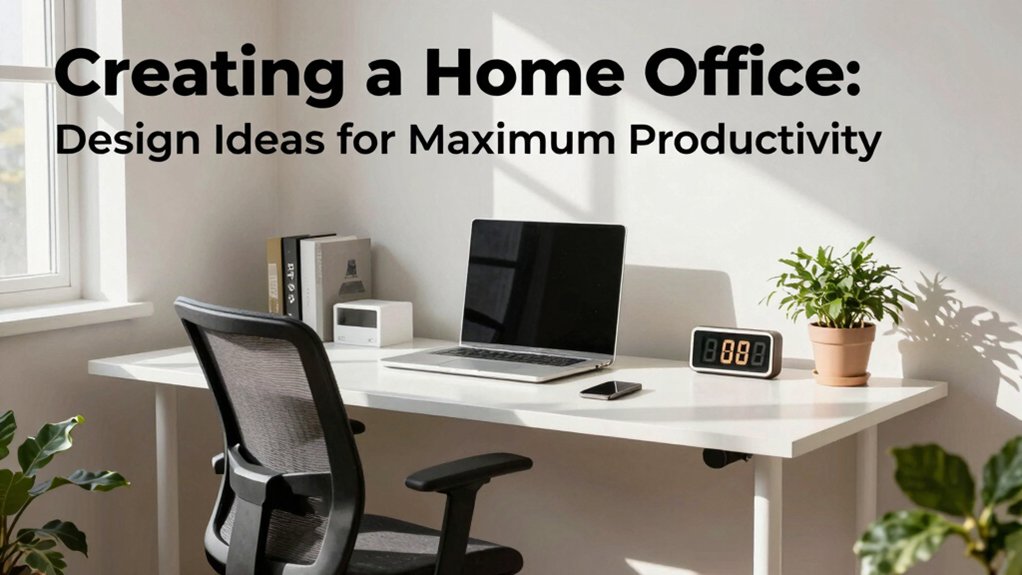
To maximize productivity, design with clear goals, dedicated zones, and smart storage from the start. Create a focused work area with an ergonomic chair, monitor at eye level, and feet flat. Use lighting that balances ambient and task needs, prioritizing natural light and high-CRI bulbs. Sound matters: add absorptive textures and consider quiet zones with minimal interruptions. Keep cords tidy, declutter daily, and layer textures and color for calm focus. If you keep going, you’ll uncover deeper optimization strategies.
Define Your Home Office Goals: What You Must Achieve Before You Start
Before you start designing your home office, define clear goals to guide every decision. You’ll specify outcomes like productivity targets, task focus, and daily rhythms, then map them to your space. Identify must-haves versus nice-to-haves, so you don’t overspend or overbuild.
Align your environment with motivational decor that reinforces discipline without distraction, and choose color psychology cues that support alertness and calm under pressure. Pin down tech needs, storage capacity, and ergonomic requirements early, so later purchases fit seamlessly.
Establish measurable benchmarks—daily hours, task completion, and break structure—to track progress. Share these goals with your household to manage expectations and foster belonging. Revisit quarterly, adjusting priorities as projects evolve and you refine your personal work style.
Space Planning 101: Choosing a Layout That Supports Focus
Start by evaluating how space allocation impacts focus, balancing desk area with needed storage so you can work without clutter. Place your desk using clear desk principles and keep essential tools within arm’s reach to minimize interruptions.
Plan traffic flow so movement around the workspace is smooth, avoiding bottlenecks that disrupt concentration.
Space Allocation Basics
Effective space allocation starts with defining a dedicated work zone that minimizes distractions and maximizes flow. You’ll map your room to create clear boundaries between thinking space and peripheral activity, then prioritize a single focus area.
Begin with a practical furniture arrangement that supports your tasks, keeping essential tools within arm’s reach and eliminating clutter that steals attention. Orient your desk away from windows or high-traffic paths to reduce visual noise, and consider a compact storage system that’s accessible yet unobtrusive.
Lighting placement matters: position a primary light that reduces glare on screens and a secondary, adjustable source for focused reading. Maintain a consistent rhythm of movement by aligning shelves, seating, and power access to the same wall plane.
This deliberate setup strengthens belonging and sustains productive momentum.
Desk Placement Principles
Where should you place your desk to maximize focus without inviting distraction? Position your workstation to minimize visual clutter and external triggers. Face away from high-traffic doorways and busy windows, with a clear line of sight to a calming wall or a locked cabinet for quick access.
Keep essential tools within arm’s reach to reduce wandering. Use ergonomic accessories to support posture and prevent strain during long sessions. Align your monitor at eye level, 20–30 inches away, and establish a dedicated writing surface for notes.
Introduce decorative accents that reinforce calm without competing for attention, such as a restrained color palette and a single personal item. Regularly purge excess items to sustain a focused, productive environment.
Traffic Flow Management
Traffic flow matters: design a layout that guides movement smoothly, reduces interruptions, and keeps work zones distinct. You’ll position entry points to support purposeful paths, not random wanderings. Map traffic patterns before placing furniture, so you minimize cross-traffic near your primary tasks.
Create clear, unobstructed corridors and use visual cues—color, texture, or lighting—to signal where to pass and where to pause. Locate storage and printers away from the main work area to cut distractions and improve focus.
Consider a single, logical loop: inbound supplies, primary desk, then exit for meetings or breaks. Use door swings and furniture orientation to reinforce this sequence, not derail it.
Regularly reassess after changes to preserve efficiency and a sense of belonging for everyone using the space.
Ergonomics First: Comfort-Driven Setup All Day
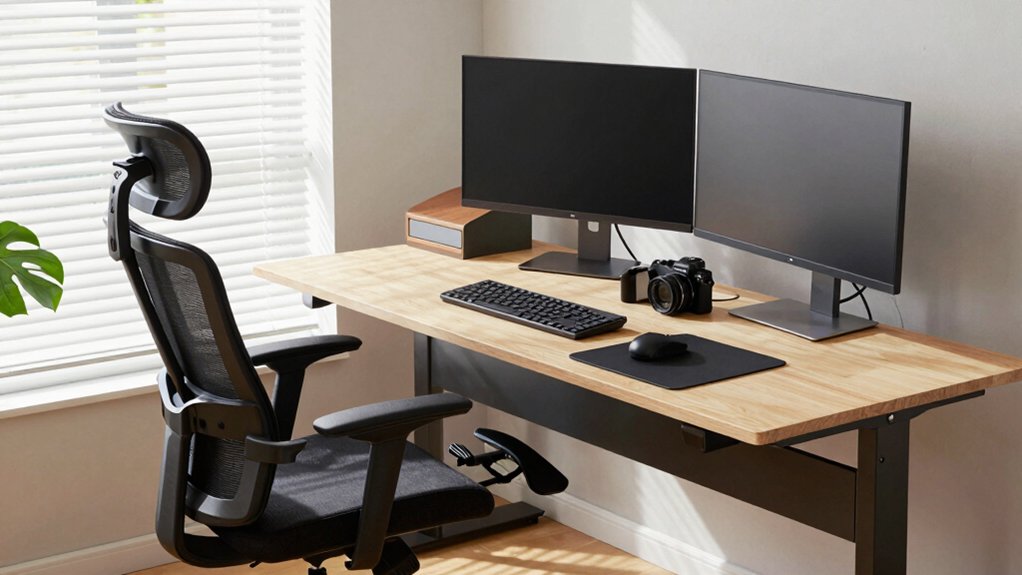
Prioritize chair comfort to support all‑day sitting, choosing a model with adjustable height, seat depth, and lumbar support.
Align your monitor so the top of the screen is at eye level and about an arm’s length away, reducing neck strain.
Use these basics as your baseline to refine posture and screen setup as you work.
Chair Comfort Focus
Why settle for a chair that merely supports you when you can optimize comfort for long hours? You’ll choose an ergonomic chair with adjustable height, seat depth, and backrest tension, then dial in a posture that feels natural.
Prioritize lumbar support that fits your lower back curve and reduces fatigue across the day. Position the chair so feet rest flat, knees at approximately 90 degrees, and hips slightly higher than knees for true ergonomic posture.
Sit close to the desk to minimize reaching; arms should rest with elbows at approximately 90 degrees, shoulders relaxed. Use a seat with breathable material and subtle contouring to maintain consistent comfort.
Regular micro-adjustments keep you aligned, promote focus, and reinforce belonging within a productive workspace.
Monitor Alignment Tips
To align your monitor for all-day comfort, start with the top of the screen at or slightly below eye level and position the center of the display about an arm’s length away.
You’ll achieve ergonomic positioning by fine-tuning height, tilt, and distance until you naturally look straight ahead, not down.
Guarantee the monitor height allows a neutral neck posture, with shoulders relaxed and elbows close to your sides.
Align the screen so the primary content sits near eye level, reducing squinting and head turning.
Use a stable stand or adjustable arm to maintain this setup as you switch tasks.
Keep bezels clean and brightness balanced with ambient light to preserve sustained focus and comfort, fostering a shared sense of belonging in your workspace.
Lighting for Focus: How to Light a Productive Home Office
Good lighting is essential for focus: it reduces eye strain, keeps you alert, and helps you complete tasks accurately. You should plan a layered lighting setup that supports sustained work without glare.
Prioritize natural light when possible, positioning your desk to face a window without harsh sun, and use sheer curtains or a movable shade to control brightness.
Complement with task lighting that directs focused illumination onto your workspace, not your walls or ceiling. Choose a high-CRI light in the 3500–4000K range for true color and minimal fatigue.
Use dimmers to adjust intensity by task and time of day, and avoid mixed sources that distort contrast.
Consistent, thoughtful lighting reinforces focus, speed, and comfort, helping you feel established and welcome in your productive space.
Sound and Silence: Quieting Distractions in Your Office
To quiet distractions, start with sound-absorbing materials like soft panels and rugs to absorb echoes and reduce room noise.
Use acoustic zoning to create purpose-driven zones—focus areas, collaboration nooks, and quiet corners—so you can switch mental states without leaving the space.
Pair these with quieting tech tools such as white-noise machines, smart speakers, and software that minimizes notifications to maintain focus.
Sound-Absorbing Materials
If you want a quieter workspace, start with sound-absorbing materials that fit your room and budget. You’ll boost focus by choosing options with proven performance and clear installation steps. Prioritize materials that reduce reflected noise and reverberation without overwhelming the space.
Soundproof panels offer targeted absorption on walls and can double as decorative elements, so select neutral tones or a design that complements your desk setup. Acoustic foam provides flexible, budget-friendly control for streaming calls or video meetings; place panels at first reflecting points for maximum impact.
Measure room dimensions to allocate coverage efficiently and avoid overdoing it. Pair these choices with proper spacing, mounting hardware, and routine maintenance to sustain consistent sound quality.
Acoustic Zoning Strategies
Acoustic zoning organizes your office space to minimize distractions without sacrificing comfort. You map zones by function—focus, collaboration, and breaks—so sound flows with intention, not chaos.
Place quiet corners near walls and away from entry doors to reduce footfall noise. Then define collaborative zones with shared ceilings or partitions that reflect conversation rather than intruding on deep work.
Use sound-absorbing design as a backbone: align furnishings, textiles, and panels to absorb high-frequency chatter while preserving speech intelligibility where needed.
Implement soundproofing techniques around HVAC returns or busy workstations to create calm pockets without sealing yourself off from the team.
Consider acoustic panel placement to balance aesthetics with effectiveness, ensuring materials complement lighting and layout while reinforcing a sense of belonging.
Quieting Tech Tools
Quieting tech tools start with purpose-driven selection and placement. You choose devices that align with your work rhythms, then position them to minimize interruptions before they arise.
Start with noise cancelling options for focal tasks, ensuring you test comfort and battery life in your environment. Wireless headphones become a portable shield during calls, video meetings, and deep work, so pick models with reliable Bluetooth, easy controls, and a comfortable seal.
Pair these tools with room-aware settings: enable focus modes, schedule quiet hours, and route notifications to non-intrusive channels.
Implement a simple, repeatable setup ritual: label zones, assign a primary device per space, and review performance weekly.
With intentional gear choices, you reclaim time, reduce fatigue, and reinforce belonging through predictable, distraction-free work sessions.
Storage That Stays Clean: Smart Solutions for a Clutter-Free Desk
A clean, efficient desk starts with smart storage that stays tidy, right-sized for your workflow and habits. You optimize every inch by choosing bins, trays, and a single, labeled place for each item. Implement a vertical approach: wall-mounted organizers and a slim file rack keep essentials at eye level, reducing reach time and distraction.
Use a small, closed drawer for cords, chargers, and spare adapters to support clutter control without sacrificing accessibility. Establish a quick daily routine: reset at day’s end, return items, and wipe surfaces to maintain a clean baseline.
Design with purpose: assign permanent homes, color-code categories, and limit possessions to what you actively use. This deliberate structure reinforces desk organization and keeps distractions at bay for a calmer, more productive you.
Color and Texture for Energy: Palette Picks for a Home Office
Color and texture set the mood and pace of a home office, so pick a palette that sparks focus and energy without overpowering the workspace. You should start with a neutral base to create calm, then layer selective color accents that align with color psychology principles—cool blues for focus, warm greens for balance, or energizing yellows as accents.
Use texture layering to add depth without visual noise: combine matte walls, a satin desk surface, and a plush rug that absorbs sound. Limit high-contrast combinations to single focal areas to avoid distraction.
Tie your palette to your tasks, not trends, and guarantee consistency across storage, accessories, and seating. Your environment becomes inviting, purposeful, and cohesive, reinforcing belonging while enabling sustained productivity.
Tech Essentials Without the Desk Jungle: Streamlined Tools and Cables
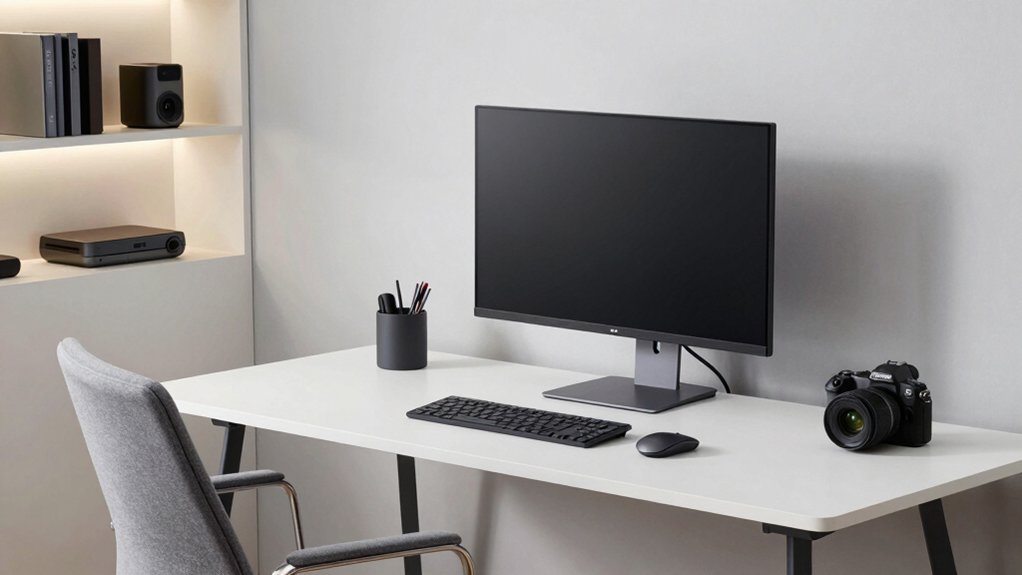
Streamlining your tech setup starts with a clear plan: identify essential tools, then pair them with tidy power and cable management. You’ll choose compact devices that cover core tasks, avoiding gadget clutter.
Prioritize device integration so every component communicates smoothly—printer, monitor, webcam, headphones—without duplications. Use a single power strip with surge protection and label cords to simplify future swaps.
Invest in a low-profile cable tray or wall-mace system to keep routes hidden yet accessible. Position peripherals within easy reach and think in zones: input, display, charging, and storage.
Regular audits ensure you’re not carrying unnecessary dongles. The result is a streamlined, distraction-free workspace that reinforces belonging and control, letting you focus on work, not wires.
Cable management and device integration become your invisible productivity allies.
Personalization Without Distraction: Subtle Customization That Drives Focus
Subtle personalization can sharpen focus without creating clutter; small, deliberate tweaks matter more than sweeping overhauls. You tailor your space with intention, not excess, ensuring each choice reinforces work rituals.
Start with decorative accents that sound like you but stay quiet in the room—the right textures, colors, and forms should calm your eye, not chase it. Limit them to a few well-placed pieces so distractions don’t multiply.
Add motivational quotes only where they’ll be seen at the moment you need a nudge, not everywhere you look. Use consistent framing and neutral palettes to maintain rhythm across your desk and shelves.
Keep surfaces clean and items reusable for multiple tasks. This approach strengthens belonging while maintaining peak focus.
Quick Transformations for Small Home Offices: Room-to-Office Makeovers
If you’re short on space but want a dedicated work zone, quick room-to-office makeovers can repurpose what you already have with deliberate, high-impact changes.
Begin by defining a focal wall or corner, then install a single, compact desk that fits your footprint. Choose a chair with ergonomic support and a simple silhouette to preserve flow.
Boost perceived space with light colors, smart lighting, and minimal clutter; every item should earn its keep. Introduce decorative accents that anchor your identity without distraction, such as a slim storage unit, a wall-mounted organizer, or a window treatment that halves glare.
Let artistic inspiration guide accessorizing—a small gallery of purposeful pieces keeps you present. Keep cables hidden and surfaces clear to maintain a calm, productive zone.
Frequently Asked Questions
How Do I Budget for a Home Office Makeover?
Set a clear limit, track every expense, and stick to it. Use cost effective solutions, prioritize essentials, and save with DIY where possible. Budget planning tips: allocate 40% on furniture, 30% on tech, remaining for decor.
Can I Convert a Shared Space Into a Dedicated Office?
Yes, you can convert a shared space into a dedicated office. Start with room partitioning to define zones, then implement privacy solutions like frosted glass or tall bookshelves, ensuring you feel owned, focused, and comfortably connected to your home environment.
What Are Quick, Non-Permanent Layout Changes?
Ever thought about quick, non-permanent tweaks? You can rearrange movable furniture and set up temporary dividers to carve a focused zone this week. You’ll feel you belong as you boost productivity with these deliberate, actionable changes.
How Do I Hide Cables Without Tools?
Hide cables without tools by using cable management sleeves, adhesive clips, and furniture gaps for cord concealment. Route wires along baseboards, tuck behind desks, and zip-tie only if necessary; this fosters belonging through tidy, purposeful, cord-conscious environments.
Which Plants Boost Productivity but Require Little Care?
Succulent plants and other low maintenance greenery boost productivity with minimal care. You should choose drought-tolerant succulents, place them near your workspace, and water sparingly. This keeps your environment calm, organized, and inviting for shared, belonging-focused productivity.